


OBD2 Scanner: Code Fix Guide
3.112.00 Reviews
App Specs
- Version
- 1.1.9
- Updated On
- License
- Free
- Downloads
- 10,000+
- Developer
- AMA Technology
- Categories
- Auto & Vehicles
- Platform
- Android
Screenshots
 Analysis by AppCompare
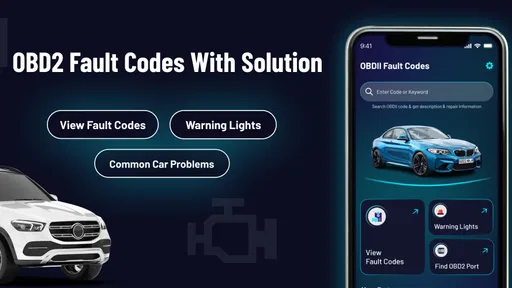
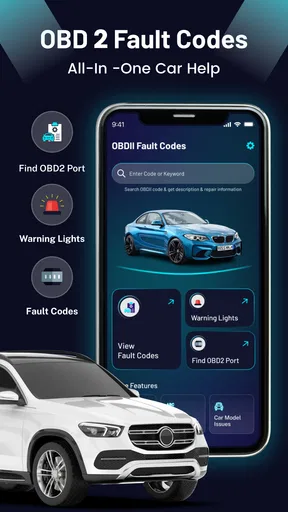
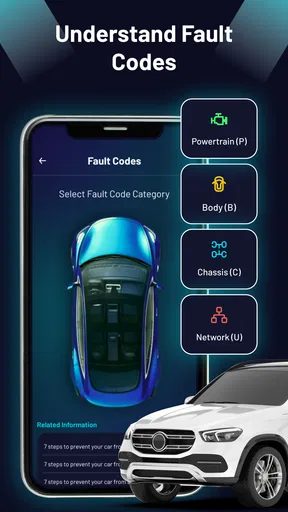
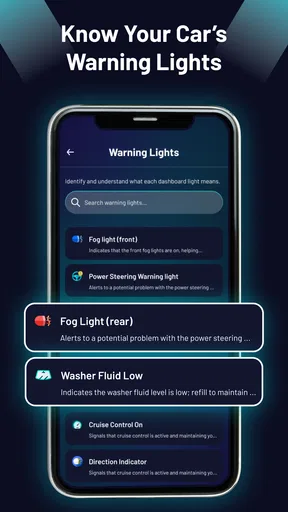
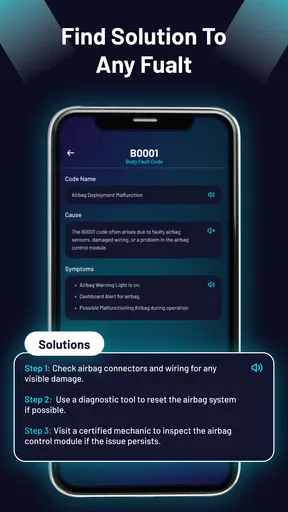
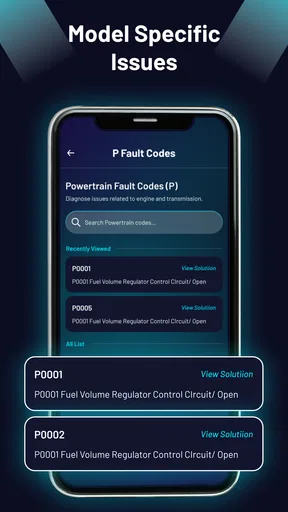
When a dashboard warning appears, the first problem is often not understanding the code but knowing what to do next. OBD2 Scanner: Code Fix Guide is built for that early stage: it explains OBD2 fault-code meanings, suggests general fixes, and helps interpret warning lights without requiring a scanner. I found it most useful as a quick reference when I wanted to turn an unfamiliar dashboard symbol into a sensible checklist rather than immediately guess at a repair.
This is a free Auto & Vehicles app from AMA Technology, aimed at ordinary drivers rather than technicians. It is rated for Everyone, so the presentation is approachable, and the current release is version 1.1.9. The app has passed the ten-thousand-install mark and holds an average of 3.1 from roughly two hundred ratings, which gives a fair picture of its position: useful for basic guidance, but not a replacement for professional diagnostic equipment or a mechanic’s inspection.
What the app is really useful for
The strongest use case is the moment when a warning light has appeared and I need context before deciding whether to keep driving, check something simple, or arrange a workshop visit. A code guide can help connect an unfamiliar code or symbol with the vehicle system involved. That does not prove which component has failed, but it gives me a more informed starting point than searching random forum posts.
The “no scanner required” approach is important. Many OBD2 tools depend on a separate Bluetooth adapter, a compatible vehicle, a phone connection, and an app that can communicate correctly with the car. This guide takes a different role. It is better understood as an explanation and preparation tool, not as a live reader of the vehicle’s computer. If I already have a code from a garage, a borrowed reader, or another diagnostic app, I can use this app to understand the terminology before discussing the result with someone who will inspect the car.
That distinction prevents a common disappointment. Installing it will not magically retrieve a fault code from the vehicle. It does not turn a phone into a physical OBD2 interface. Its value comes from helping me interpret information I already have, or from helping me identify what a warning light generally relates to. For a driver who wants a plain-language orientation, that can be enough. For someone expecting live sensor readings, code clearing, or vehicle-specific testing, a dedicated scanner is the better choice.
Where people usually get stuck
The first point of friction is the phrase “scanner” in the app’s short description. A new user may reasonably expect a scan button, connect the phone to the car, and receive a diagnosis. That is not the right mental model here. I would approach it as a reference guide first. If a physical scanner has already produced a code, the app can make that code less intimidating; without a code or warning-light question, there may be less to do.
A second sticking point is treating a fault-code explanation as a confirmed diagnosis. OBD2 codes normally identify a detected condition or system, not necessarily the exact part that must be replaced. A misfire-related code, for example, can lead to several possible causes. A sensor-related code can reflect wiring, a connector, air leaks, power problems, or a genuine sensor failure. The sensible workflow is to use the app to understand the area of concern, then verify the cause through inspection or proper testing.
Worth Reading Before You Choose

EA SPORTS FC Mobile 26 Is a Bigger Football Game, but It Takes Time

Flipboard Shows What News Apps Must Do Beyond the Feed

Switching to Android Auto Means Rethinking Your Driving Routine

Google Calendar Makes a Crowded Week Easier to Manage

Ludo King Makes the Most of the Minutes Between Plans

Baby Panda World Brings Quick Play to Modern Phones, but Its Game Library Feels Busy
I also recommend recording the exact code before looking it up. One letter or digit can change the meaning considerably. If a workshop gives you a code verbally, ask for it in writing or take a photograph of the printout. Searching from memory is an easy way to read the wrong entry and then spend money on an unrelated part.
Warning lights create another trap. A dashboard symbol can communicate urgency, but the same symbol may need to be interpreted alongside how the vehicle behaves. A steady engine warning and a flashing one should not be treated as identical situations. If the car is losing power, overheating, smoking, making unusual noises, or behaving dangerously, a guide should not delay roadside assistance or professional help. The app is useful for orientation, not for overriding obvious safety concerns.
Setup checks before relying on an explanation
There is little traditional setup because the app is not dependent on connecting to a scanner. That simplicity is one of its practical advantages. I can open it when parked, review a code, and keep the vehicle itself separate from the phone. Still, a few preparation habits make the experience more reliable.
First, identify the vehicle as accurately as possible. The same general code family can appear across many makes and models, but the likely causes and repair steps may vary. I would keep the model year, engine type, and fuel type nearby when using any general code guide. If the app offers a broad explanation, those details help me judge how much confidence to place in a suggested direction.
Second, separate the code from the symptom. Write down both. “Engine light on” is not the same as “engine light on, rough idle, and difficult starting.” The code points toward a system; the symptoms help a technician narrow down the cause. This small habit is one of the most useful ways to get more value from a general-purpose guide without pretending it has performed a full diagnosis.
Third, check whether the code is current or historical. A stored code may remain after an intermittent issue has disappeared, while a newly returning code deserves more attention. If another scanner displays status information, note it before clearing anything. Clearing a code can remove useful evidence and does not repair the underlying problem. I would use this app to understand the code, not as a reason to erase it repeatedly.
The app is free to install, although in-app purchases range from $0.99 to $35.99 per item. That makes it worth checking what is available before assuming every explanation is included without charge. I would begin with the information directly accessible in the app and only consider an optional purchase if it clearly adds value for my particular vehicle or situation. The free entry point is convenient, but the possible purchase range means users should pay attention during the normal app flow.
A recovery workflow when the first attempt is unhelpful
If I cannot find a useful match, I would not immediately conclude that the app is broken. I would restart the lookup from the exact code, preserving every character and avoiding spaces or extra punctuation if the search field is sensitive to them. I would also compare the code with the original source, because a handwritten “B” can look like an “8,” and a missing letter can send the search in the wrong direction.
When an explanation feels too general, I would turn it into a short investigation plan. Note the warning light, record the driving symptoms, check simple visible items only when the engine is cool and the vehicle is safely parked, and then take the notes to a technician. The guide is more valuable as a way to organize questions than as permission to dismantle components. This is especially important for electrical and fuel-related systems, where guessing can create more problems than it solves.
A useful recovery step is to compare the app’s wording with the scanner’s wording rather than searching for a repair part immediately. If both point toward the same system, ask what tests would confirm the cause. If they do not line up, verify the code again and consider that the scanner may be using manufacturer-specific information. General OBD2 explanations can be a starting point, but they should not be treated as the final word on a vehicle-specific fault.
I would also avoid judging the app by a single unsuccessful lookup if the issue is actually missing context. Some codes are broad by design. A code can tell me that a signal is outside an expected range without telling me whether the fault comes from the sensor, its wiring, the connector, or another condition affecting the reading. In that situation, the correct recovery is better testing, not repeated searches for a more certain sentence.
When the app is not the cause of the problem
Because this is a reference tool, many apparent failures will come from the vehicle, the scanner that supplied the code, or an incorrect interpretation. A physical reader may not communicate correctly because of a poor connection, a vehicle compatibility issue, a low battery, or a problem with the reader itself. The guide cannot correct those conditions because it is not the device performing the scan.
The car’s battery deserves particular attention. Low voltage can create confusing electronic behavior and multiple unrelated-looking codes. If several warnings appear together after starting problems, I would avoid buying parts based on the first code alone. A proper battery and charging-system check may be more sensible. The app can help me understand the displayed terms, but it cannot measure voltage or confirm the health of the charging system.
Environmental and temporary conditions can matter too. A loose fuel cap, moisture around a connector, recent maintenance, or a momentary sensor reading may trigger a warning that later disappears. That does not make the warning meaningless, but it does mean the code should be considered with timing and symptoms. If the light returns, the pattern itself becomes useful information for diagnosis.
There are also situations where I would skip this app as the main tool. If the vehicle will not start, the temperature warning is active, the oil-pressure warning is illuminated, the engine is severely misfiring, or the brakes feel unsafe, I would prioritize stopping safely and getting qualified assistance. A general guide is not a substitute for urgent mechanical judgment. Likewise, a professional technician or a more advanced scanner is preferable when I need live data, manufacturer-specific modules, bidirectional tests, service resets, or confirmation before replacing an expensive component.
How it compares with the usual alternatives
Compared with a physical OBD2 reader, this app is cheaper and easier to keep available, but it cannot provide the reader’s direct connection to the vehicle. A basic reader is better when I need to retrieve a code myself. The app is better when I already have the code and want a more comfortable explanation on a phone. In practice, the two can complement each other rather than compete.
Compared with a general web search, the app offers a more focused route through OBD2 terminology and warning-light questions. Search engines can provide deeper model-specific material, but they also mix reliable advice with dramatic guesses and part-selling content. I prefer using the app for the first explanation, then checking a trusted repair manual or speaking with a technician when the decision involves safety or significant expense.
Compared with a workshop visit, the app gives me preparation rather than a repair. That preparation has real value: I can arrive with the exact code, a symptom timeline, and better questions. It may help me understand why a technician recommends testing instead of immediately replacing a part. It should not, however, be used to challenge a diagnosis solely because the app lists a different possible cause. Broad code meanings and vehicle-specific findings serve different purposes.
An everyday example of the best workflow
Imagine I am leaving work and notice the engine warning light. The car still drives normally, so I park safely and use the app to review what the symbol generally indicates. I do not assume that the first explanation names the failed part. Instead, I note when the light appeared, whether the engine felt different, and whether the light was steady or flashing.
Later, I obtain the exact code from a compatible reader or a repair shop. I enter that code carefully, compare the explanation with the symptoms, and write down two or three questions: what should be tested first, could low voltage or a connection issue produce this result, and is it safe to drive before inspection? If the warning returns with poor running or another serious symptom, I stop treating the app as a decision-maker and arrange professional help.
This workflow shows the app’s real strength. It can reduce confusion and improve the conversation around a fault. It cannot replace the sequence of code retrieval, physical checks, testing, and repair confirmation. Used in that order, it is less likely to encourage unnecessary parts purchases or false reassurance.
Who will appreciate it most
I think it suits drivers who want a calm first explanation, owners who have received an OBD2 code from someone else, and learners building basic familiarity with dashboard warnings. It is also handy for people who dislike carrying extra hardware and only need occasional reference material. The Everyone rating matches that approachable role, though beginners should still treat repair guidance cautiously.
It is less suitable for experienced technicians, enthusiasts who expect live vehicle data, or owners diagnosing complex intermittent faults. Those users will probably get more from a dedicated scanner and service information tailored to the exact vehicle. I would also skip relying on it alone if a repair decision could affect braking, steering, engine temperature, fuel leaks, or continued safe operation.
My practical verdict
OBD2 Scanner: Code Fix Guide is a useful first-stop reference, not a complete diagnostic system. I like that it removes the need for a scanner when the immediate goal is understanding a code or warning light, and I find its greatest benefit comes before a workshop visit: it helps me collect the right details and ask clearer questions.
The modest 3.1 average from around two hundred ratings suggests that expectations matter. Users looking for a live scan, exact vehicle diagnosis, or guaranteed repair instructions may feel let down. Users who understand its reference-guide role are more likely to find it worthwhile. The possible in-app purchases also deserve a quick look before committing to anything beyond the free experience.
My recommendation is straightforward: install it if you want accessible OBD2 explanations and you are willing to verify important conclusions elsewhere. Keep the exact code, symptoms, and timing together; never clear evidence just to make a warning disappear; and treat serious vehicle behavior as a safety issue rather than an app problem. Its best feature is not replacing a mechanic—it is helping me arrive better prepared for the mechanic.
Pros
- Simple explanations help beginners understand common OBD2 trouble codes.
- Useful reference for checking possible causes before visiting a mechanic.
- Lightweight design should work smoothly on most modern Android devices.
- Searchable code information makes it quick to find a specific fault.
- Can help users prepare better questions for a repair shop.
Cons
- It does not replace a physical OBD2 scanner or perform vehicle diagnostics.
- Coverage may vary between vehicle makes
- models
- and manufacturer-specific codes.
- Repair suggestions are general and may not identify the exact failed component.
- Some information may require an internet connection or contain advertisements.
- Incorrect repairs based on the guide could lead to extra costs or safety risks.
FAQs for OBD2 Scanner: Code Fix Guide
What is OBD2 Scanner: Code Fix Guide used for?
OBD2 Scanner: Code Fix Guide is designed to help vehicle owners understand diagnostic trouble codes (DTCs) detected by an OBD2 scanner. It can provide explanations of common engine and system codes, possible causes, and suggested troubleshooting steps. The app is mainly an information and reference tool, so it does not replace a professional diagnostic scanner, workshop equipment, or advice from a qualified mechanic.
Does OBD2 Scanner: Code Fix Guide scan my car directly?
The app itself should not be assumed to communicate with your vehicle automatically. In most cases, you need a compatible OBD2 scanner or Bluetooth adapter to read codes from the car, then use the app to research and understand those codes. Before downloading, check the app description and device requirements carefully, because supported adapters, connection methods, and available features may vary between Android and iOS versions.
Can this app fix check-engine problems automatically?
No, an app cannot physically repair a vehicle or guarantee that a warning light will be resolved. OBD2 Scanner: Code Fix Guide may explain what a code means and suggest areas to inspect, but the actual repair depends on the underlying cause. A code can sometimes result from a loose fuel cap, faulty sensor, wiring issue, or a more serious mechanical problem, so professional inspection may still be necessary.
Is OBD2 Scanner: Code Fix Guide suitable for beginners?
The app can be useful for beginners because it presents diagnostic codes in a more understandable format than a raw scanner display. However, basic automotive knowledge is still helpful when interpreting symptoms, checking connectors, or deciding whether a vehicle is safe to drive. Users should follow safety precautions, avoid working under an unsupported vehicle, and consult a mechanic when instructions involve electrical, fuel, braking, or engine components.
Does the app support every vehicle and OBD2 trouble code?
Compatibility and coverage may depend on the vehicle model, manufacturing year, market, and the diagnostic system being used. OBD2 standards cover many common powertrain codes, but manufacturer-specific codes and advanced systems such as airbags, ABS, transmission, or body electronics may require specialist equipment. Review the current store listing, supported-code information, permissions, and subscription details before relying on the app for your particular vehicle.


